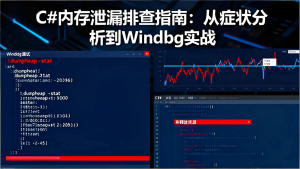




在长期运行的C#应用程序中,内存泄漏是一个常见但难以排查的问题。程序运行时间越长,内存占用越高,最终导致OutOfMemoryException崩溃。本文将从实际症状出发,提供完整的内存泄漏排查和解决方案。
![图片[1]-C#内存泄漏排查指南:从症状分析到Windbg实战](https://blogimg.vcvcc.cc/2025/11/20251109143743336-1024x576.png?imageView2/0/format/webp/q/75)
一、内存泄漏的典型症状与报错
1. 程序运行缓慢,内存持续增长
典型场景: Web服务、桌面应用长期运行后响应变慢。
任务管理器观察:
- 私有字节数(Private Bytes)持续上升
- 工作集(Working Set)居高不下
- GC回收频率增加但效果不明显
2. OutOfMemoryException崩溃
错误信息:
System.OutOfMemoryException: Exception of type 'System.OutOfMemoryException' was thrown.
   at System.Collections.Generic.List`1.set_Capacity(Int32 value)
   at System.Collections.Generic.List`1.EnsureCapacity(Int32 min)
事件日志记录:
Application: MyApp.exe
Framework Version: v4.0.30319
Description: The process was terminated due to an unhandled exception.
Exception Info: System.OutOfMemoryException
3. 性能计数器异常
通过PerfMon观察到:
- Gen 2 Heap Size持续增长
- Large Object Heap Size不断上升
- GC暂停时间越来越长
二、常见内存泄漏场景与代码示例
1. 事件注册未注销导致泄漏
问题代码:
public class EventPublisher
{
    public event EventHandler<string> DataReceived;

    public void RaiseEvent(string data)
    {
        DataReceived?.Invoke(this, data);
    }
}

public class EventSubscriber
{
    private readonly EventPublisher _publisher;

    public EventSubscriber(EventPublisher publisher)
    {
        _publisher = publisher;
        // 事件注册,但未注销
        _publisher.DataReceived += OnDataReceived;
    }

    private void OnDataReceived(object sender, string data)
    {
        Console.WriteLine($"Received: {data}");
    }

    // 缺少注销事件的方法
    // public void Unsubscribe()
    // {
    //     _publisher.DataReceived -= OnDataReceived;
    // }
}
泄漏分析:
- EventPublisher持有对EventSubscriber的引用
- 即使EventSubscriber不再使用,也无法被GC回收
- 长时间运行后,积累大量无法回收的对象
2. 静态集合不当使用
问题代码:
public static class CacheManager
{
    // 静态集合会一直持有对象引用
    private static readonly List<object> _cache = new List<object>();

    public static void AddToCache(object item)
    {
        _cache.Add(item);
    }

    // 缺少从缓存移除的方法
    // public static void RemoveFromCache(object item)
    // {
    //     _cache.Remove(item);
    // }
}

// 使用示例 - 持续添加,永不移除
public class DataProcessor
{
    public void ProcessData(byte[] data)
    {
        var processed = Process(data);
        CacheManager.AddToCache(processed); // 内存泄漏!
    }

    private object Process(byte[] data)
    {
        // 处理逻辑
        return new object();
    }
}
3. 非托管资源未释放
问题代码:
public class ImageProcessor : IDisposable
{
    private IntPtr _imageHandle;

    public ImageProcessor(string filePath)
    {
        // 调用非托管代码分配资源
        _imageHandle = LoadImageFromFile(filePath);
    }

    [System.Runtime.InteropServices.DllImport("NativeImageLib.dll")]
    private static extern IntPtr LoadImageFromFile(string path);

    [System.Runtime.InteropServices.DllImport("NativeImageLib.dll")]
    private static extern void FreeImage(IntPtr handle);

    // 忘记实现Dispose模式
    // public void Dispose()
    // {
    //     if (_imageHandle != IntPtr.Zero)
    //     {
    //         FreeImage(_imageHandle);
    //         _imageHandle = IntPtr.Zero;
    //     }
    //     GC.SuppressFinalize(this);
    // }

    // 缺少析构函数
    // ~ImageProcessor()
    // {
    //     FreeImage(_imageHandle);
    // }
}
三、内存泄漏排查工具与步骤
1. 使用Visual Studio诊断工具
操作步骤:
// 1. 在Debug模式下运行程序
// 2. 打开"诊断工具"窗口(Debug → Windows → Show Diagnostic Tools)
// 3. 选择"内存使用率"标签
// 4. 拍摄堆快照并比较

// 示例:在关键代码点拍摄快照
public class MemoryAnalyzer
{
    public static void TakeSnapshot(string snapshotName)
    {
        // 在代码中标记快照点
        #if DEBUG
        Console.WriteLine($"Taking memory snapshot: {snapshotName}");
        #endif
    }
}

// 在可能泄漏的代码前后调用
public void SuspectedLeakMethod()
{
    MemoryAnalyzer.TakeSnapshot("Before processing");

    // 可能泄漏的代码
    ProcessData();

    MemoryAnalyzer.TakeSnapshot("After processing");
}
2. 使用Windbg+SOS分析内存转储
排查步骤:
(1) 生成内存转储文件
# 使用Procdump生成转储
procdump -ma -o YourApp.exe memory.dmp
(2) Windbg分析命令
// 加载SOS扩展
.loadby sos clr

// 分析堆统计
!eeheap -gc

// 查看对象统计
!dumpheap -stat

// 分析特定类型对象
!dumpheap -type System.EventHandler

// 查看对象引用关系
!gcroot <object_address>
3. 使用dotMemory进行专业分析
分析流程:
// 1. 在JetBrains dotMemory中获取内存快照
// 2. 比较两个时间点的快照
// 3. 分析保留路径(Retention Paths)

// 代码中标记分析点
public class DotMemoryHelper
{
    [Conditional("DEBUG")]
    public static void GetSnapshot(string snapshotName)
    {
        #if DEBUG
        var snapshot = JetBrains.Profiler.Memory.MemoryProfiler.GetSnapshot();
        Console.WriteLine($"Snapshot '{snapshotName}' taken");
        #endif
    }
}
四、内存泄漏解决方案
1. 事件泄漏的修复方案
正确代码:
public class EventSubscriber : IDisposable
{
    private readonly EventPublisher _publisher;
    private bool _disposed = false;

    public EventSubscriber(EventPublisher publisher)
    {
        _publisher = publisher;
        _publisher.DataReceived += OnDataReceived;
    }

    private void OnDataReceived(object sender, string data)
    {
        if (_disposed) return;
        Console.WriteLine($"Received: {data}");
    }

    public void Dispose()
    {
        Dispose(true);
        GC.SuppressFinalize(this);
    }

    protected virtual void Dispose(bool disposing)
    {
        if (!_disposed)
        {
            if (disposing)
            {
                // 释放托管资源
                _publisher.DataReceived -= OnDataReceived;
            }
            _disposed = true;
        }
    }
}

// 使用using确保资源释放
using (var subscriber = new EventSubscriber(publisher))
{
    // 使用subscriber
} // 自动调用Dispose()
2. 静态集合优化方案
正确代码:
public class SmartCache : IDisposable
{
    private readonly ConcurrentDictionary<string, CacheItem> _cache;
    private readonly Timer _cleanupTimer;

    public SmartCache(TimeSpan cleanupInterval)
    {
        _cache = new ConcurrentDictionary<string, CacheItem>();
        _cleanupTimer = new Timer(Cleanup, null, cleanupInterval, cleanupInterval);
    }

    public void Add(string key, object value, TimeSpan lifetime)
    {
        var expiration = DateTime.UtcNow.Add(lifetime);
        _cache[key] = new CacheItem(value, expiration);
    }

    public bool TryGet(string key, out object value)
    {
        if (_cache.TryGetValue(key, out var item) && item.Expiration > DateTime.UtcNow)
        {
            value = item.Value;
            return true;
        }
        value = null;
        return false;
    }

    private void Cleanup(object state)
    {
        var now = DateTime.UtcNow;
        var expiredKeys = _cache.Where(kv => kv.Value.Expiration <= now)
                               .Select(kv => kv.Key).ToList();

        foreach (var key in expiredKeys)
        {
            _cache.TryRemove(key, out _);
        }
    }

    public void Dispose()
    {
        _cleanupTimer?.Dispose();
        _cache.Clear();
    }

    private class CacheItem
    {
        public object Value { get; }
        public DateTime Expiration { get; }

        public CacheItem(object value, DateTime expiration)
        {
            Value = value;
            Expiration = expiration;
        }
    }
}
3. 非托管资源正确释放模式
正确代码:
public class SafeImageProcessor : IDisposable
{
    private IntPtr _imageHandle;
    private bool _disposed = false;

    public SafeImageProcessor(string filePath)
    {
        _imageHandle = LoadImageFromFile(filePath);
        if (_imageHandle == IntPtr.Zero)
            throw new InvalidOperationException("Failed to load image");
    }

    [DllImport("NativeImageLib.dll")]
    private static extern IntPtr LoadImageFromFile(string path);

    [DllImport("NativeImageLib.dll")]
    private static extern void FreeImage(IntPtr handle);

    public void ProcessImage()
    {
        if (_disposed)
            throw new ObjectDisposedException(nameof(SafeImageProcessor));

        // 图像处理逻辑
    }

    public void Dispose()
    {
        Dispose(true);
        GC.SuppressFinalize(this);
    }

    protected virtual void Dispose(bool disposing)
    {
        if (!_disposed)
        {
            if (_imageHandle != IntPtr.Zero)
            {
                FreeImage(_imageHandle);
                _imageHandle = IntPtr.Zero;
            }
            _disposed = true;
        }
    }

    ~SafeImageProcessor()
    {
        Dispose(false);
    }
}
五、内存管理最佳实践
1. 使用WeakReference解决特定场景
public class WeakEventManager
{
    private readonly List<WeakReference<EventHandler<string>>> _handlers;

    public WeakEventManager()
    {
        _handlers = new List<WeakReference<EventHandler<string>>>();
    }

    public void AddHandler(EventHandler<string> handler)
    {
        _handlers.Add(new WeakReference<EventHandler<string>>(handler));
    }

    public void RaiseEvent(string data)
    {
        for (int i = _handlers.Count - 1; i >= 0; i--)
        {
            if (_handlers[i].TryGetTarget(out var handler))
            {
                handler?.Invoke(this, data);
            }
            else
            {
                // 清理已回收的引用
                _handlers.RemoveAt(i);
            }
        }
    }
}
2. 定期内存监控
public class MemoryMonitor
{
    private readonly Timer _monitorTimer;
    private readonly long _memoryThreshold;

    public MemoryMonitor(long thresholdInMB, TimeSpan checkInterval)
    {
        _memoryThreshold = thresholdInMB * 1024 * 1024;
        _monitorTimer = new Timer(CheckMemory, null, checkInterval, checkInterval);
    }

    private void CheckMemory(object state)
    {
        var memory = GC.GetTotalMemory(false);
        if (memory > _memoryThreshold)
        {
            // 触发内存清理或告警
            OnMemoryThresholdExceeded(memory);
        }
    }

    private void OnMemoryThresholdExceeded(long currentMemory)
    {
        // 强制垃圾回收(谨慎使用)
        GC.Collect();
        GC.WaitForPendingFinalizers();
        GC.Collect();

        // 记录警告日志
        Console.WriteLine($"Memory threshold exceeded: {currentMemory / 1024 / 1024}MB");
    }

    public void Dispose()
    {
        _monitorTimer?.Dispose();
    }
}
总结
C#内存泄漏排查需要系统性的方法和合适的工具组合。关键要点包括:
- 预防为主:在编码阶段注意事件注销、资源释放
- 监控预警:实现内存使用监控,及时发现问题
- 工具熟练:掌握Windbg、dotMemory等分析工具的使用
- 模式规范:严格遵循Dispose模式和非托管资源管理
正确的内存管理能够显著提升应用程序的稳定性和用户体验,是高质量C#程序的基本要求。
© 版权声明
THE END









暂无评论内容